



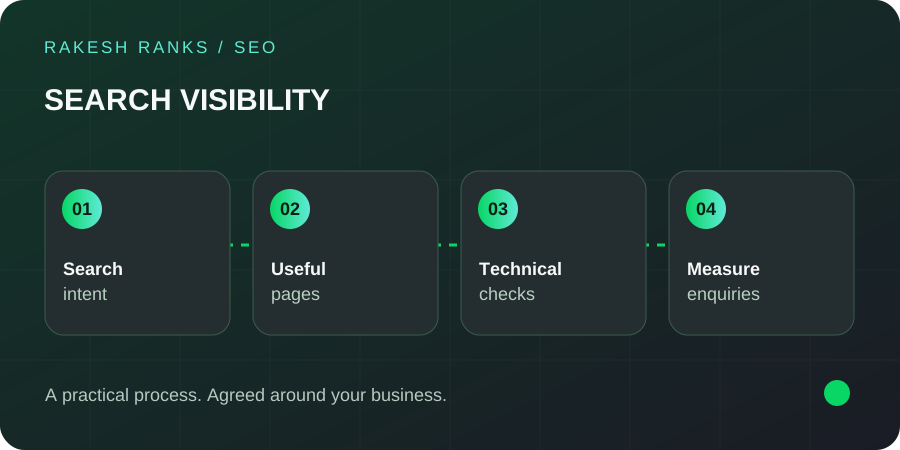
- 01Search intent
- 02Useful pages
- 03Technical checks
- 04Measure enquiries
1. Start with the question behind the search
Before writing a page, ask what the person is trying to do. Someone searching for an SEO freelancer in Hyderabad may want to compare services and contact a provider. Someone asking how SEO works needs an explanation first. The same topic can have different search intents.
Decide the main job of your page. A service page should explain the work and the next step. A guide should answer the question well enough to help the reader make a decision. Trying to do every job at once often makes the page harder to follow.
2. Give the useful answer early
Do not make people read a long introduction before reaching the point. Give a direct answer, then explain the details, conditions and examples. A short answer box can help, provided the rest of the page supports it.
If the answer depends on the business, say what it depends on. “It depends” becomes useful when you explain the factors. Avoid presenting an uncertain estimate as a fixed rule.
3. Write headings that describe the section
A heading should help a visitor predict what comes next. Use the service, question or decision naturally. Keep one clear main heading and organise the supporting sections in a sensible order.
Keywords can belong in headings when they fit the topic. You do not need the exact phrase in every heading. Read the headings on their own: they should outline a useful page.
4. Add experience that only you can explain
A page becomes more useful when it includes real project context, examples, original images or the questions you hear from customers. Explain what happened and what you learned. Keep the boundaries of the evidence clear.
For example, my AJA Commerce Academy case study retains the historical search screenshot and explains what it can show. It does not turn that image into a new revenue claim.
5. Use natural language and check every claim
Write as you would explain the topic to a customer. Use short, complete sentences where they help. Replace vague claims with the actual service, process or requirement. If a paragraph could be pasted onto any business website, it probably needs more thought.
AI tools can help you organise ideas or edit a draft. Review the facts, names, examples and tone yourself. Google advises creating helpful, reliable content for people; the production tool does not remove that responsibility.

6. Build links around the reader’s next question
Link to a relevant service when the reader is ready to discuss help. Link to a supporting guide when they need an explanation. Use anchor text that describes the destination, and avoid putting a link on every repeated keyword.
External links can support a claim or let the reader check the original source. Google’s link guidance explains crawlable links and descriptive anchor text. A link should earn its place by helping the reader.
7. Use images that explain something
A diagram, an authentic project screenshot or a relevant photograph can make a page easier to understand. Add descriptive alt text for meaningful images. Include the topic or service only when it accurately describes what the image shows.
Do not use alt text as a hidden list of keywords. Decorative images can have empty alt text. Give images sensible dimensions, compress them and avoid loading large files that add little value. See Google’s guidance on images and search.
8. Write a useful title and meta description
The page title should identify the topic and distinguish it from other pages. The meta description should summarise what the reader will find. Keep both accurate and specific. Search engines may choose different title text or a different snippet, so they are not guaranteed display copy.
In WordPress, I use Rank Math to manage these fields. A useful description is more important than trying to force an arbitrary character count at the expense of meaning.
9. Review the content after publishing
Check the page on a phone. Test the links, inspect the heading order and make sure the contact action is easy to find. Then review the relevant Search Console queries and landing pages over time. Look for questions the page does not yet answer.
Update facts and examples when they change. If an existing page already has useful visibility, improve it thoughtfully and retain the URL where possible. A new date alone is not a content update.
Need help with your pages? Explore my SEO services in Hyderabad or read why SEO matters for small businesses.
Common questions
How often should I repeat the keyword?
There is no useful repetition target for every page. Use the topic naturally where it helps the reader understand the title, headings and content.
Does a quick-answer box guarantee an AI citation?
No. It can make the page easier to read. Visibility still depends on content quality, technical access, relevance and the search system’s own choices.